Cart
0

Table of Contents
- Best Smart Home Devices for Beginners: A Practical Starting Point
- Smart Speakers and Voice Assistants: Your Command Center
- Smart Home Devices That Are Easy to Install
- Smart Bulbs vs. Smart Switches: Which Should You Choose First?
- Best Smart Home Hubs 2026: Do You Actually Need One?
- Compatibility and Ecosystem: Choosing Devices That Work Together
- Security, Privacy, and Troubleshooting for Beginners
- Your Beginner Smart Home Budget and Total Cost of Ownership
- Frequently Asked Questions
Last Updated: October 19, 2026
Best Smart Home Devices for Beginners: A Practical Starting Point
Starting your smart home journey doesn't require spending thousands or understanding complex technology. The best smart home devices for beginners focus on simplicity, reliability, and genuine value.
The challenge isn't finding smart devices, it's choosing which ones work together. Many people buy a smart speaker, then realize their lights don't connect. This guide offers a practical buying sequence.
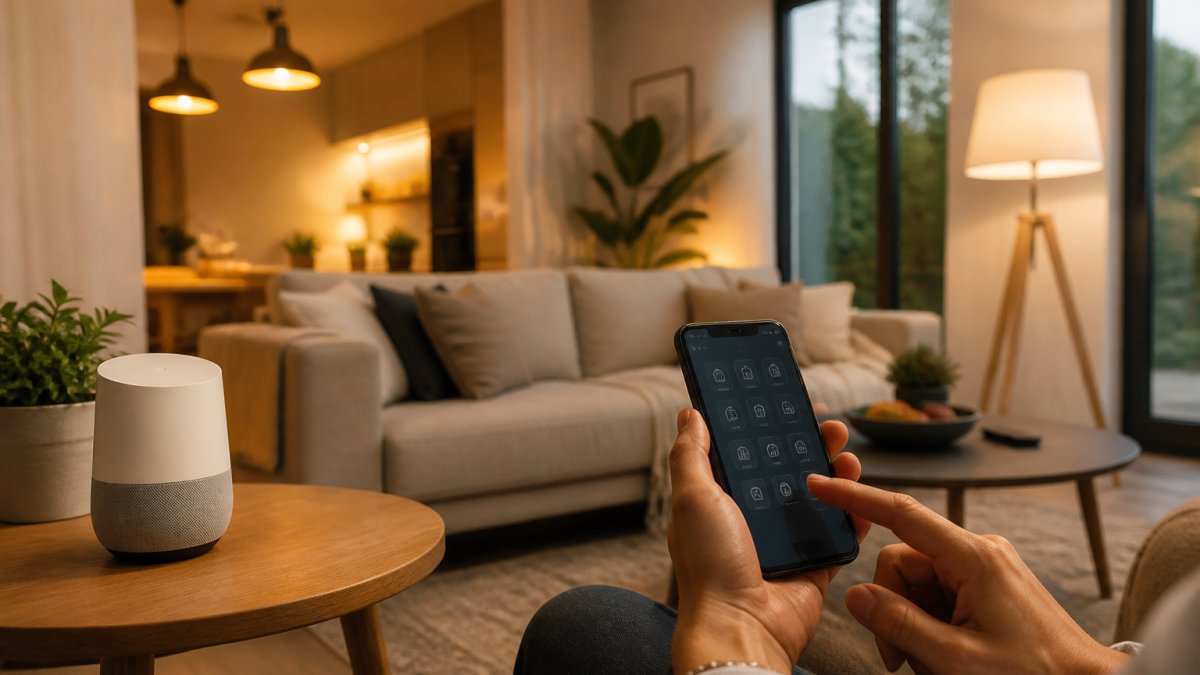
Quick Comparison of Beginner-Friendly Options
| Device Type | Best Entry Point | Price Range | Why Start Here |
|---|---|---|---|
| Smart Speaker | Voice control hub | Entry-level | Hands-free control, no installation |
| Motion-Sensor Lighting | Automated convenience | Budget-friendly | Works instantly, improves daily life |
| Smart Plugs | Instant device control | Very affordable | Control any device remotely |
| Smart Bulbs | Customizable lighting | Moderate | Dimmable light, scheduling, ambiance |
| Smart Thermostat | Energy savings | Higher investment | Long-term cost recovery |
| Smart Lock | Security and access | Premium | Renter-friendly alternatives exist |
Smart Speakers and Voice Assistants: Your Command Center
A smart speaker serves as the command center for your smart home ecosystem, listening for voice commands and controlling compatible devices.


Voice assistants like Amazon Alexa, Google Assistant, and Apple Siri handle everything from music to lights.
Entry-level smart speakers include everything you need to get started. Skip the premium screen version unless you specifically want video calling or visual feedback.
Pro Tip
Place your smart speaker in a central location like your kitchen or living room, away from corners and hard surfaces. This improves voice recognition and lets it hear commands from anywhere in the room.
Smart Home Devices That Are Easy to Install
Installation anxiety stops many beginners, but most beginner-friendly options require no tools, wiring, or contractor calls. Plug-and-play devices are your fastest path to a working smart home.

Wireless Motion-Sensor Lighting
Motion-sensor lights are the gateway drug to smart home automation. The Auto LED USB Magnetic Wood Wireless Night Light Corridors Porch Lights PIR Motion Sensor Wall Light Cabinet Lamp from Domicile Digs exemplifies this simplicity.
This light uses passive infrared (PIR) detection to sense body heat within a 4-meter range, charges via USB, and runs about half a month per charge in motion-detection mode.
The warm 2700K-3000K light creates a welcoming atmosphere without harsh brightness. Set it in hallways, bathrooms, or bedside tables.
Best For
Renters and homeowners who want motion-activated lighting without permanent installation. Perfect for hallways, bathrooms, and entryways where you want hands-free light.
Smart Plugs for Beginners: Instant Control
Smart plugs bridge old devices and new technology. Plug any device into a smart plug, and it's controllable from your phone or voice assistant. No rewiring, no replacement purchases.
A smart plug works with any device that plugs into a wall outlet. Control your bedside lamp from bed, turn off forgotten appliances from work, or schedule your coffee maker to brew before you wake.
The real value emerges when you combine multiple smart plugs.
Smart Bulbs vs. Smart Switches: Which Should You Choose First?
Both smart bulbs and smart switches control your lighting, but they work differently. Understanding the distinction helps you choose the right approach.
Smart bulbs screw into existing fixtures and connect directly to Wi-Fi.
Smart switches replace your existing wall switch and control all bulbs in that fixture at once, more cost-effective for rooms with several lights.
For beginners, start with smart bulbs in lamps you already own: less upfront cost, zero installation, and a chance to test the technology in one room before expanding.
Watch Out
Never mix smart bulbs with smart switches in the same fixture. If a smart bulb is controlled by a smart switch, turning off the switch cuts power to the bulb, preventing remote control. Always choose one method per fixture.
Best Smart Home Hubs 2026: Do You Actually Need One?
A smart home hub acts as a central controller for devices that don't connect directly to Wi-Fi.
Here's the honest answer: most beginners don't need a hub immediately. A smart speaker and smart plugs connect to Wi-Fi directly.
The best smart home hubs for beginners integrate with your chosen ecosystem: an Echo Hub for Alexa, a Google Nest Hub for Google Home.
Consider a hub when you've outgrown basic automation or want devices that specifically require one.
Compatibility and Ecosystem: Choosing Devices That Work Together
This is where beginners most often stumble: you buy a smart speaker, then discover your lights use a different protocol, or you invest in devices that don't integrate with your phone's ecosystem. Compatibility deserves a deliberate decision, not an impulse purchase.
The three ecosystems, honestly compared
Three major ecosystems dominate the beginner market: Amazon Alexa, Google Home, and Apple HomeKit. Each has real strengths and limitations.
IP Camera WiFi Smart Home Baby Monitor Pet CCTV Surveillance Infrared Night →
- Amazon Alexa has the widest device compatibility and the lowest entry cost. Most budget smart plugs, bulbs, and cameras list "Works with Alexa" first. If you want maximum device choice at minimum price, Alexa is the safest default.
- Google Home integrates deeply with Android phones and Google services, and its voice recognition tends to handle natural phrasing well. It is a strong choice if your household already lives in Google accounts and Android devices.
- Apple HomeKit prioritizes privacy and local processing but supports fewer devices and often at higher prices. It is the right choice if everyone in the home uses iPhone and privacy is the top priority.
A practical rule: choose one ecosystem first, then buy devices that explicitly list that ecosystem on the box. Many devices support multiple ecosystems, but forcing compatibility often requires extra steps or sacrifices features.
The compatibility checklist before you buy
Before adding any device, run this five-point check:
- Ecosystem support, Does the product page list your assistant by name (Alexa, Google Assistant, or HomeKit)? "Works with smart home" is not enough.
- Protocol, Does it connect over Wi-Fi, Bluetooth, Zigbee, Z-Wave, or Matter? Wi-Fi is easiest for beginners; Zigbee and Z-Wave need a hub but offer better reliability and range.
- Hub requirement, Does the device need a separate hub or bridge? If yes, factor that cost and setup step in before buying.
- App quality, Does the manufacturer's app have recent updates and reasonable reviews? A poor app undermines even good hardware.
- Matter support, Matter is a cross-platform standard designed to let devices work across Alexa, Google, and Apple. A device labeled "Matter-compatible" is a safer long-term buy if you may switch ecosystems later.
Wi-Fi, Bluetooth, Zigbee, and Z-Wave in plain terms
Wi-Fi devices connect to your existing network and are easiest for beginners, though many can strain a basic router. Zigbee and Z-Wave extend range and improve reliability but require a hub. Bluetooth works within your phone's range but integrates less seamlessly with voice assistants. For a first system, Wi-Fi plus a smart speaker covers most beginner needs; add a hub only when you adopt hub-dependent sensors or locks.
Pro Tip
Keep a simple compatibility note in your phone: list your ecosystem, your router's Wi-Fi band, and every device's protocol. When you shop, check the new device against that note before checkout. This one habit prevents most beginner compatibility mistakes.
A decision sequence that avoids dead ends
Start with the ecosystem, not the device. Pick Alexa, Google, or Apple based on your household's phones and privacy preferences, then buy a smart speaker for that ecosystem. Next, add Wi-Fi devices that explicitly list that ecosystem: smart plugs first, then smart bulbs. Only then consider hub-dependent devices like sensors or locks. Every purchase builds on the last, and nothing sits unused.
Security, Privacy, and Troubleshooting for Beginners
Smart home security starts with understanding what data your devices collect.
Change default passwords on all devices immediately, using strong, unique passwords for each. Enable two-factor authentication wherever available.
Common troubleshooting issues include devices going offline, voice commands not working, and connectivity drops, most of which stem from Wi-Fi problems.
When a device stops responding, unplug it for 30 seconds and restart your smart speaker too.
Pro Tip
Document your Wi-Fi password and smart home app login credentials in a secure location. You'll need these when adding new devices or troubleshooting issues. A password manager works well for this.
Your Beginner Smart Home Budget and Total Cost of Ownership
Most beginner guides stop at the sticker price, but total cost of ownership includes hardware, optional hubs, subscriptions, replacement consumables, and your own time. Here's a realistic budget showing what you pay upfront, what recurs, and what you can safely skip.
Upfront hardware: a realistic starter basket
A functional beginner system typically depends on how many devices you add at once. A realistic starter basket looks like this:
- Smart speaker
- Motion-sensor light
- Two smart plugs
That basket gives you voice control, motion-activated lighting, remote device control, and customizable room lighting. You're building a foundation that expands over time: start with one device, learn how it works, then add more to spread cost and prevent buyer's remorse.
The costs beginners forget
Hardware is only part of the total. Budget for these often-overlooked items:
- Hubs and bridges, Zigbee, Z-Wave, and some lock and sensor systems require a hub, typically an extra purchase. If you plan to add sensors or locks, price the hub before committing to that protocol.
- Subscriptions, Many cameras and video doorbells offer free basic features but charge for cloud recording, extended history, or advanced alerts. Check the subscription price before buying a camera, because it can exceed the hardware cost over a few years.
- Replacement consumables, Battery-powered devices like motion sensors and smart locks need batteries. Budget a small annual amount for replacements.
A simple ongoing budget rule
Keep recurring costs under a small monthly cap you set, and prefer devices with free local control or no mandatory subscription. Before buying any camera or doorbell, confirm what works without a subscription; before any hub-dependent device, confirm you own a compatible hub. These two checks prevent most surprise costs.
Why DIY beats contractor installation on cost
Hiring a contractor to install traditional automation easily costs thousands. Smart home DIY is dramatically cheaper because you do the work yourself with consumer-grade technology designed for non-technical users. The trade-off is your time and a learning curve, both of which shrink with each device you add.
Key Takeaway
Budget for the basket, not the device. Price the hub and any subscription before checkout, keep recurring costs under a cap you choose, and add devices one at a time. That approach keeps total cost predictable and lets you stop at any point with a system that still works.
For renters, the beauty of smart home devices is portability. Everything discussed here, motion sensors, smart plugs, smart bulbs, moves with you, so you're not stuck with permanent installations your landlord might object to. The Auto LED USB Magnetic Wood Wireless Night Light Corridors Porch Lights PIR Motion Sensor Wall Light Cabinet Lamp and similar devices from Domicile Digs solve the renter problem elegantly: style and function without commitment or installation costs.
Frequently Asked Questions
What should I buy first for a smart home?
Start with a smart speaker or a single smart plug to test the ecosystem. Smart speakers like Amazon Echo or Google Home serve as your command centre and work with most devices. Alternatively, a smart plug lets you control any lamp or device remotely without replacing fixtures. Both are affordable entry points that require only Wi-Fi and a smartphone app to set up.
Are smart home devices easy to set up for beginners?
Most modern smart home devices designed for beginners require just Wi-Fi and a smartphone app. Plug-and-play options like motion-sensor lights (such as the Auto LED USB Magnetic Wood Wireless Night Light at £24.53) need no wiring or installation expertise. Voice-controlled curtains and cameras follow similar patterns: connect to power, download the app, and follow on-screen prompts. Setup typically takes 5-15 minutes per device.
Do all smart home devices need a hub?
No. Most Wi-Fi-based devices work directly through your home network without a hub. However, some systems (like Zigbee or Z-Wave) require a hub for lower power consumption and extended range. For beginners, Wi-Fi devices are simpler: they connect the same way as your phone or laptop. Hubs become useful only when you have many devices or want battery-powered sensors that need extended coverage.
How do smart bulbs and smart switches differ for beginners?
Smart bulbs are easier to install, just screw them in like regular bulbs and control them via app or voice. Smart switches replace your existing wall switch and control any bulb, but require turning off power and wiring knowledge. For renters or non-permanent setups, smart bulbs win. For whole-room control and long-term installations, smart switches offer better reliability and don't rely on remembering to turn bulbs on manually.
What's the total cost to start a basic smart home?
Start with a smart speaker, add one or two smart bulbs or plugs, and optionally a motion-sensor light. Domicile Digs offers motion-sensor lighting from £24.53, smart cameras from £82.86, and smart curtains from £113.60. Expand gradually as your comfort and budget allow rather than buying everything at once.
Starting your smart home doesn't mean buying everything at once. It means choosing devices that solve real problems in your daily life. At Domicile Digs, we focus on smart home devices that combine elegant design with genuine functionality. Our curated selection ensures you're investing in pieces that work together and transform your space into a connected, convenient haven. Add to cart and experience how thoughtful automation elevates your home.